
Tuesday, December 6, 2011
Grading the Digital School: Khan Academy Blends Its YouTube Approach With Classrooms
Grading the Digital School: Khan Academy Blends Its YouTube Approach With Classrooms: At least 36 schools nationwide are combining teacher-led lessons with computer-based lectures and exercises using a software program based on Salman Khan’s popular YouTube lessons.


Saturday, December 3, 2011
16 New Library Tech Stories You May Have Missed
16 New Library Tech Stories You May Have Missed:
This past month has seen a lot of new library technology articles and blog posts. Here are 16 of them that you won’t want to miss. Please list any other recent library tech stories in the comments!!
- A Guide to Ebook Purchasing – American Libraries
- Libraries Ramp Up e-Book Lending- USA Today
- The Amazon Lending Library is NOT the Library Apocalypse – Agnostic, Maybe
- 5 e-Book Collections with Over 100,000 Free e-Books – iLibrarian
- Amazon, Overdrive, and Other Reasons to Be Pissed – Agnostic, Maybe
- 20 iPad Apps Librarians Should Download – Part 1 – iLibrarian
- 20 iPad Apps Librarians Should Download – Part 2 – iLibrarian
- 9 Resources for Marketing on Mobile Social Networks – iLibrarian
- October Library Conference Roundup: 25 Stellar Presentations – iLibrarian
- Open Access Publishing with Drupal – Code4Lib
- The Future of School Libraries E-Book – Kristin Fontichiaro and Buffy Hamilton
- 5 Amazing Free Data Visualization Tools – iLibrarian
- 21 Useful Cloud Computing Resources for Librarians – iLibrarian
- Create a Catalog for Your Personal Digital Assets – iLibrarian
- National Archives Digitization Tools Now on GitHub – NARAtions
- 9 Sources for Historical Images, Documents, Videos, and Audio – Free Technology for Teachers
E-Books
Mobile
Technology Trends
Cloud Computing
Digitization & Archives
Friday, December 2, 2011
STUDENTS RISE TO OCCASSION
Unphased by the fact that Representative Bernie O’Neill was unable to visit our library as was scheduled yesterday, our high school students went on with the show and dazzled administrators, Board members and ME with the amazing ways they use technology and digital resources. O’Neill was invited as part of the Legislator @ Your Library Campaign to bring awareness to the importance of school libraries and to advocate for more financial support and state requirements for school libraries and staffing. Due to a last minute emergency however, he cancelled just moments before his scheduled visit. But that didn’t stop Mr. Giorgi’s Journalism students from putting on a fantastic presentation beginning with a video they created about the library and then giving participants an opportunity to visit with the students to see how they are utilizing Google apps in their classes as well as the online tools available on the library website. Some students were also on hand to show-off our beautifully renovated courtyard as well our use of QR codes with book displays.
Followed by the session with Journalism students, our administrators and Board members had an opportunity to see our START mentors work with their adult students. START – Students Teaching Adults Resources and Technology is a collaborative project with the public library which allows older adults to learn basic computer skills. This was the second session in which the adults were learning how to set-up a Gmail account and learn the basics of email. The adults are so excited to be learning from these young people, but it goes much beyond the teaching of technology. It’s an opportunity for young and old to form a special relationship and to learn about each other. One of the adults emailed her mentor a picture of her new granddaughter, while another emailed a picture of himself in his younger years as an actor in New Hope.
At the end of yesterday’s session, one of the adults approached me, earnestly grabbing my arm and said “This means the world to me…you have no idea”. And just as I was composing this post, one of the high school students came to me to tell me that she’d like to set-up some additional sessions with her adult student because he needs some extra help and that she was only too happy to oblige. Nothing could convince me more that this is the start of a beautiful thing!
Thursday, December 1, 2011
The Best Kindle Fire Apps: A Starter Kit
The Best Kindle Fire Apps: A Starter Kit:

Jill Duffy at PC World puts together a list of The Best Kindle Fire Apps: A Starter Kit. These are 16 well-reviewed applications which will get you up and running with your new Kindle Fire.
Wednesday, November 30, 2011
LIBRARY COMMUNITY EVENT
On November 17th, adult patrons from the Free Library of New Hope and Solebury Public Library visited the New Hope-Solebury High School to learn how to set-up a Gmail account. New Hope-Solebury School district recently adopted Google Apps for Education and students are using the various apps throughout their classes and their academic life.
START - Students Teaching Adults Resources and Technology - was initiated by the public library and high school library in efforts to bring the community and school students together, while also providing a needed service to the community. Future sessions will include Google search, Google Docs and exploring online library resources.
Saturday, May 7, 2011
A COUPLE OF FUN THINGS IN GOOGLE
In checking my Google Reader today, I came upon 3 new Google tools (at least they're new to me!) which I feel are worth sharing:
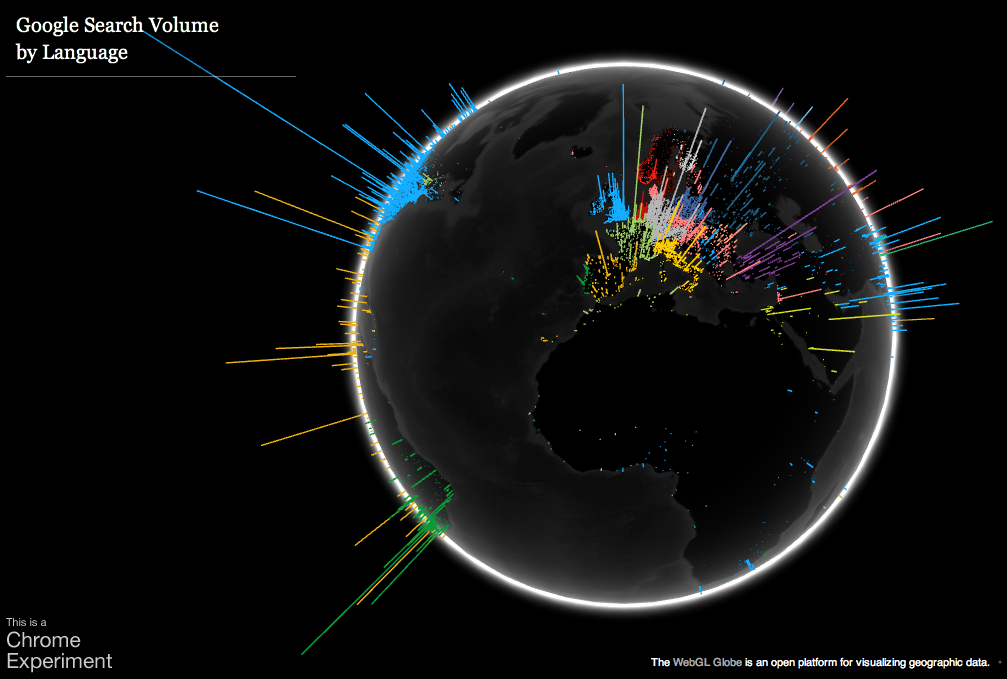
1. Google Search Globe allows you to see a visualization of Google searches each day from around the world. Each color represents a different language and the higher the bar, the more searches for that area. Note that the beta site requires WebGL enabled browser such as Chrome.
2. Thanks to Lisa Thumann for pointing me towards Google Cloud Print. From a computer, iPhone2, Android or Chrome Notebook you can print your Gmail or Google Doc to a printer hooked up to your Mac or PC. You do need Chrome, but no other software is necessary. Just follow these directions to set-up your Cloud Printer. I just tried it with my Android phone using Docs mobile and it worked perfectly!
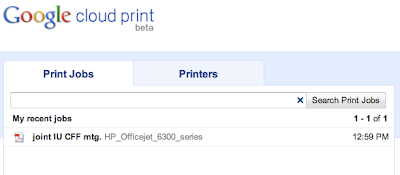
So what are the possible benefits to such an app? Well, I'm still thinking that over. I suppose the main advantage is time saving: if you want something to be sitting on your printer when you get home (or have someone at home pick it up off the printer), you can send it through your mobile device.
Any other ideas?
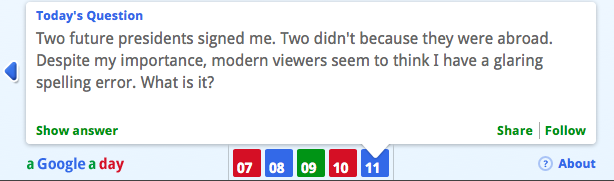
3. My personal favorite.....A Google a Day! This is a daily trivia question in which it is OKAY to search for the answer on Google...but requires a little imagination. As explained on the Google Blog,
As the world of information continues to explode, we hope A Google a Day triggers your imagination and helps you discover all the types of questions you can ask Google—and get an answer.
What a great, fun way for students to practice their skills with keyword searches! Answers are printed weekdays in The New York Times and, just like the crossword puzzles, the questions get harder as the week progresses.
Subscribe to:
Posts (Atom)

 Posts

